- Download EasyBCD and install
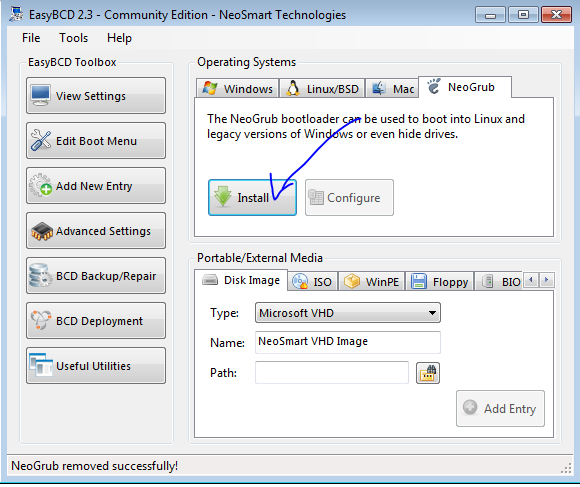
- Install NeoGurb
- Adding Windows OS
Add New Entry → Select windows Drive Location

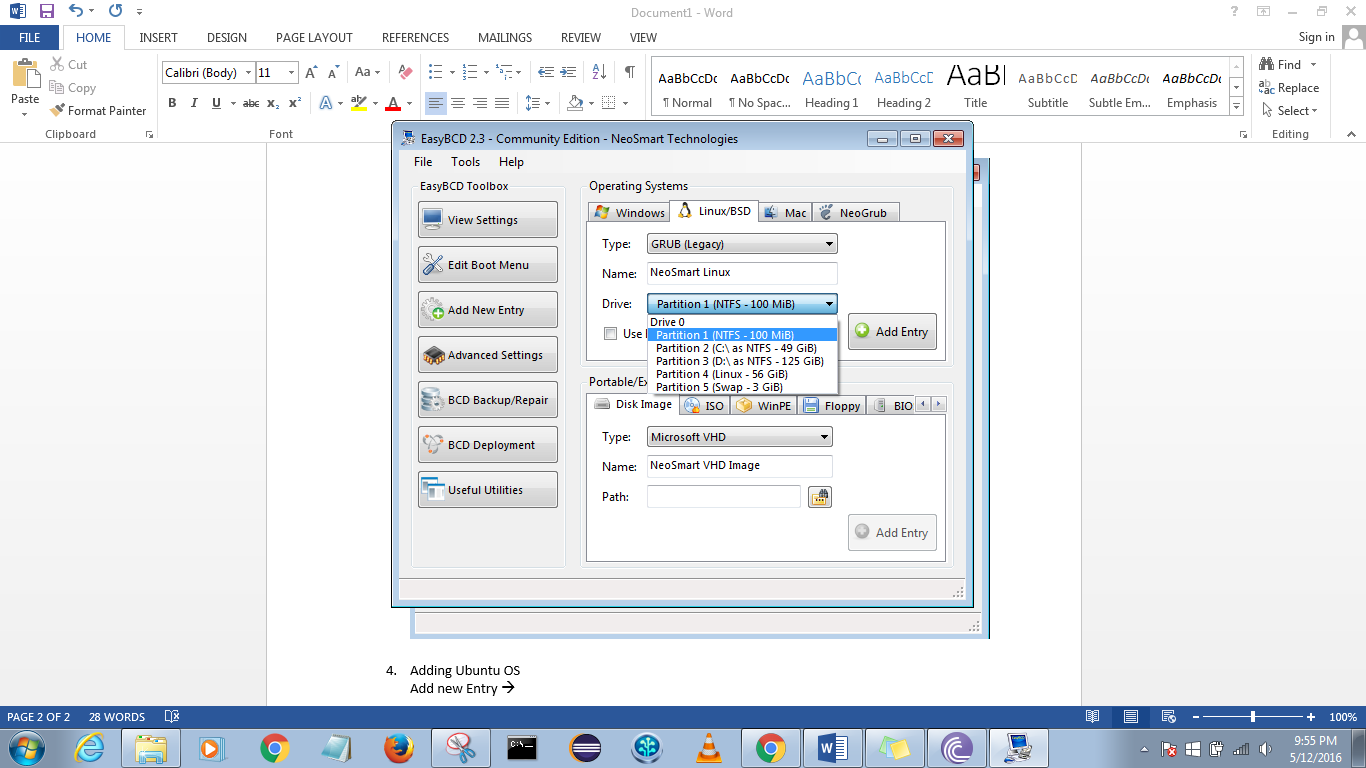
- Adding Ubuntu OS
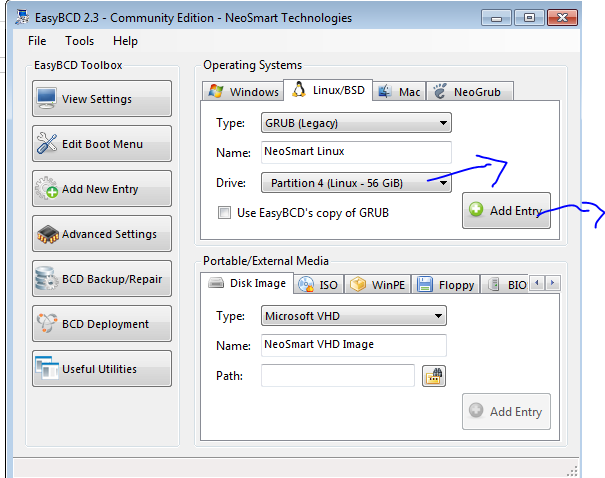
Add new Entry → Linux Tab → GurbLegacy → select Ubuntu Installed drive
And click on add entry
Check Boot menu and save settings

Restart System, it’s done